Selling
New homes, townhomes, condos, lots, resort and branded residences. Availability, floorplans, finishes, and payment scenarios in one place — and a read on which options each prospect keeps coming back to.
Every prospect gets a live portal built for your project instead of a PDF. You get a room that reads how they engage, tells you what is holding each one back, and tells your team exactly how to close them.
You keep review and delivery control. Nothing sends without your team’s approval.
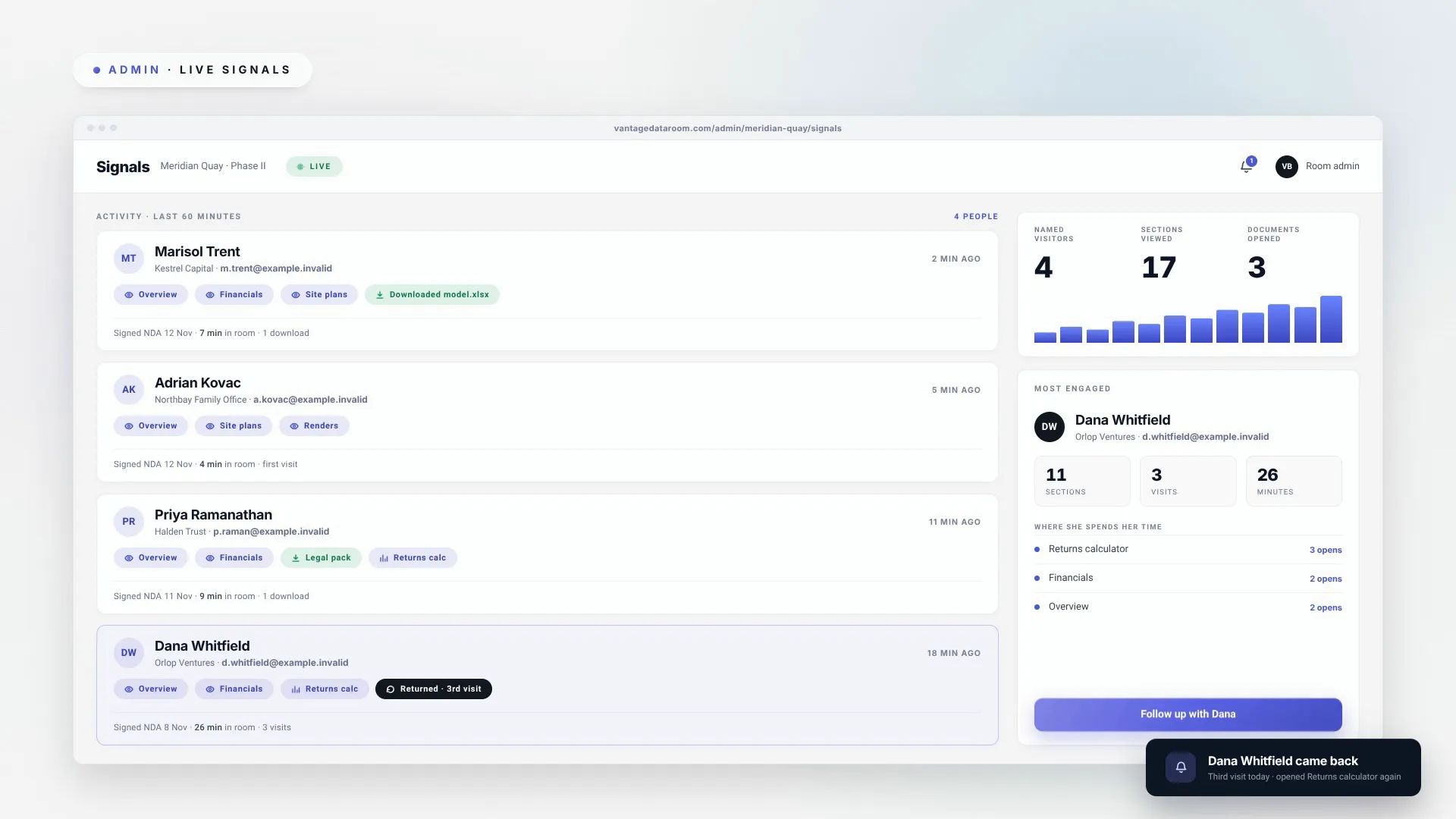
Illustrative dashboard. Synthetic data shown to explain the product; no customer result is claimed.
Every portal is built for the specific project — your units, your options, your area, your terms, your documents. Not a template with your logo dropped in the corner. Whatever you are moving, and whoever you are moving it to, the problem underneath is the same one: they went quiet and you do not know why.
New homes, townhomes, condos, lots, resort and branded residences. Availability, floorplans, finishes, and payment scenarios in one place — and a read on which options each prospect keeps coming back to.
Multifamily lease-ups, build-to-rent, commercial and industrial space. Suites, terms, amenities, and area context, with the same behaviour tracking pointing your leasing team at the prospects worth calling first.
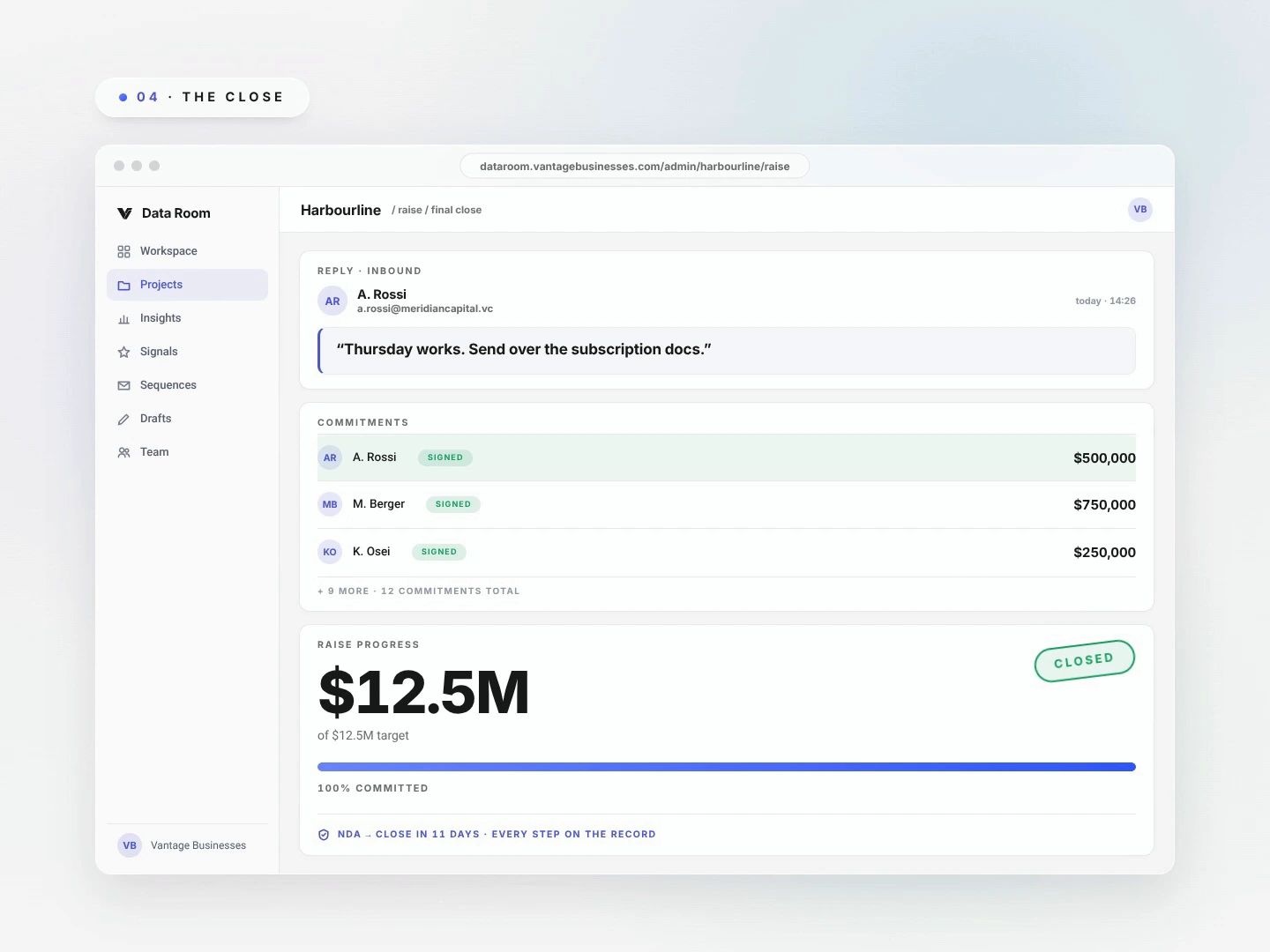
The original use case. Deck, model, and documents behind an NDA gate, with the same intelligence layer reading investor intent between meetings.
If it isn't on this list, it's a two-week build, not a no.
You hand over the brochure. Floorplans, a price or rent sheet, a site plan PDF. Then you wait, with no idea which options they looked at twice, what worried them, or which prospects were nearly there. So the team does the only thing it can: chase everyone the same way, with the same generic follow-up, while the deals closest to done go quiet.
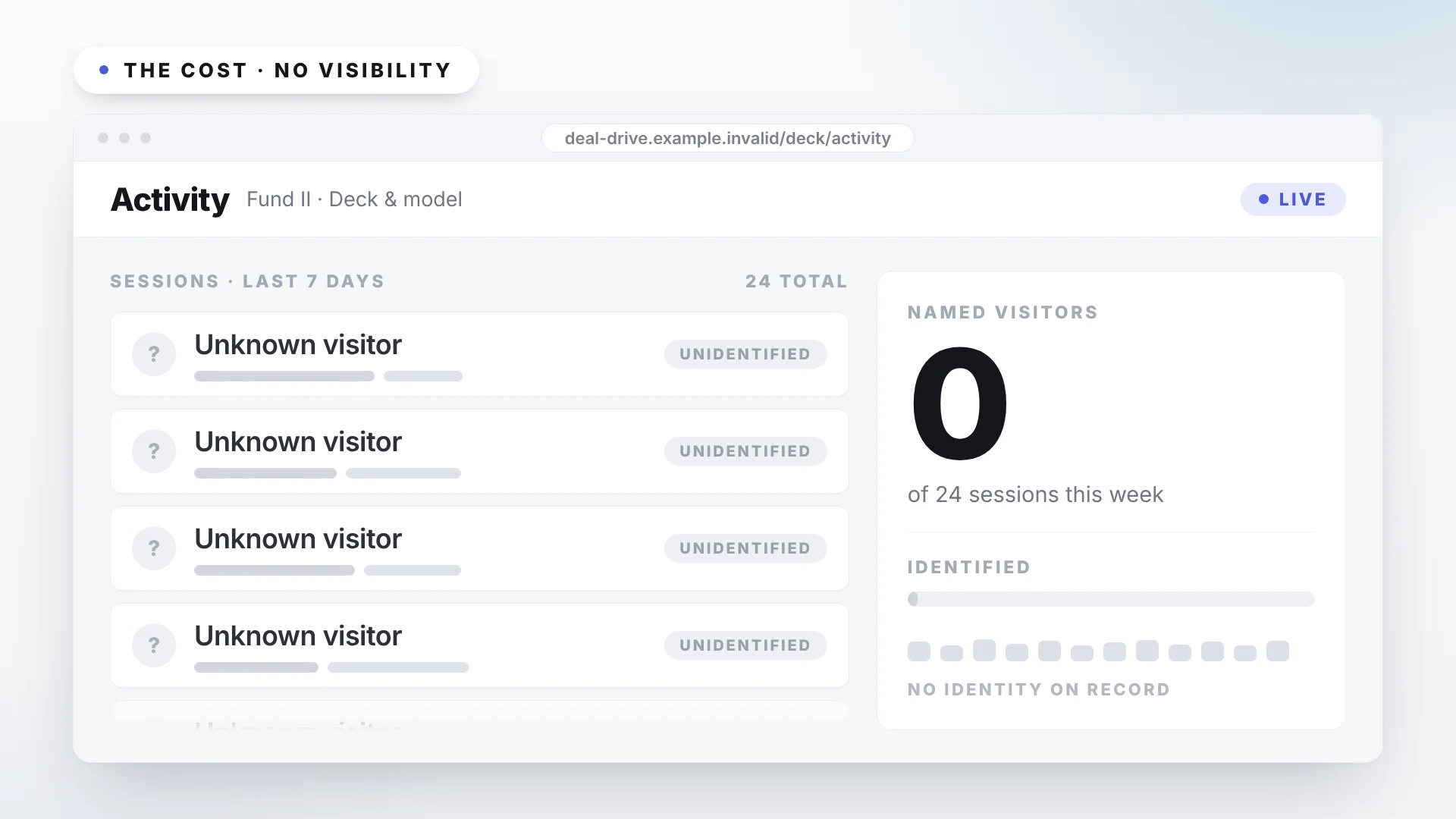
A PDF tells you nothing. Once the brochure leaves your hands you cannot see who opened it, what held their attention, or who was close. Interest stays invisible until someone signs or disappears.
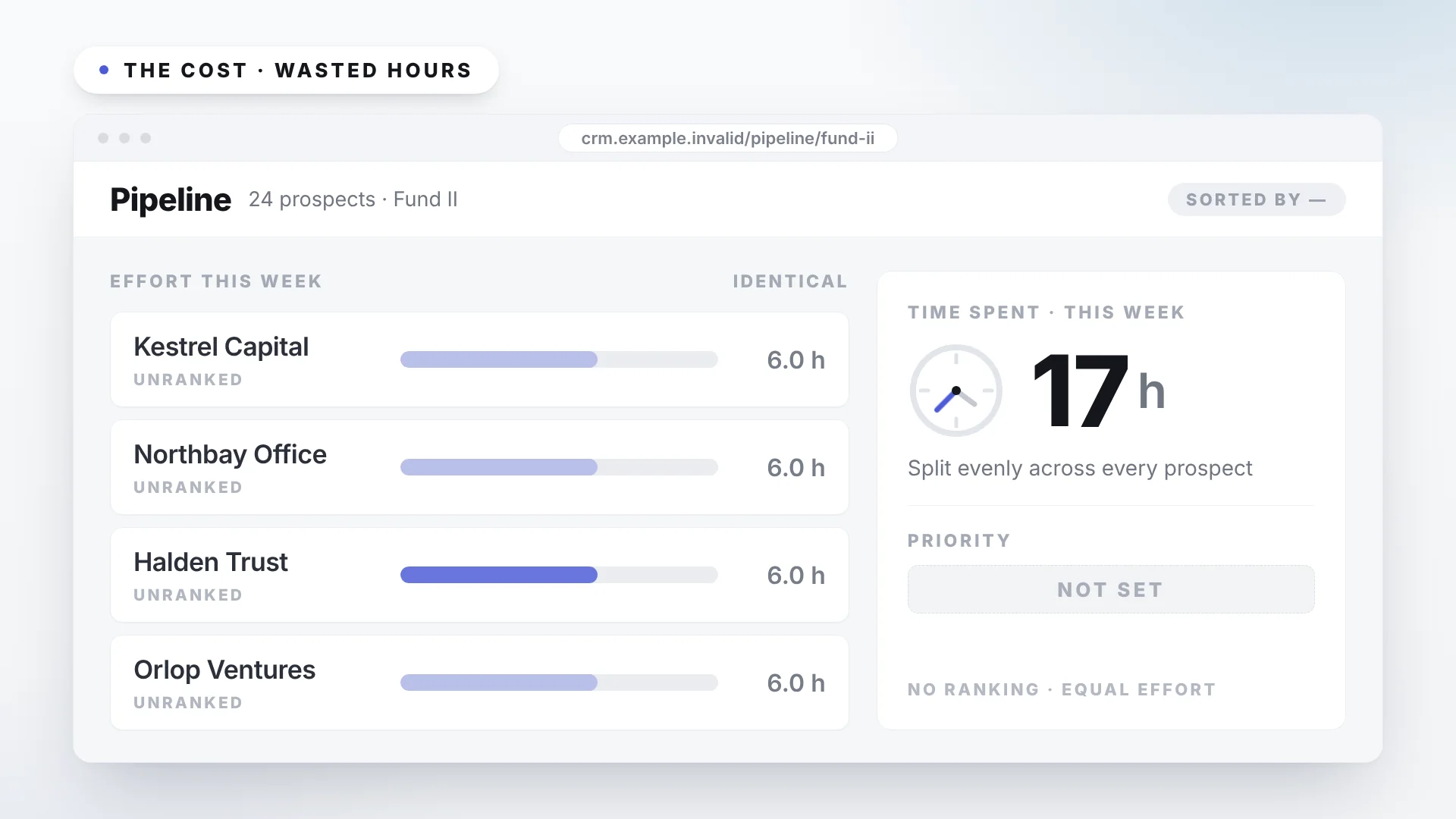
Every prospect gets the same effort. With no way to rank intent, your strongest people spend equal time on prospects who were never going to move.
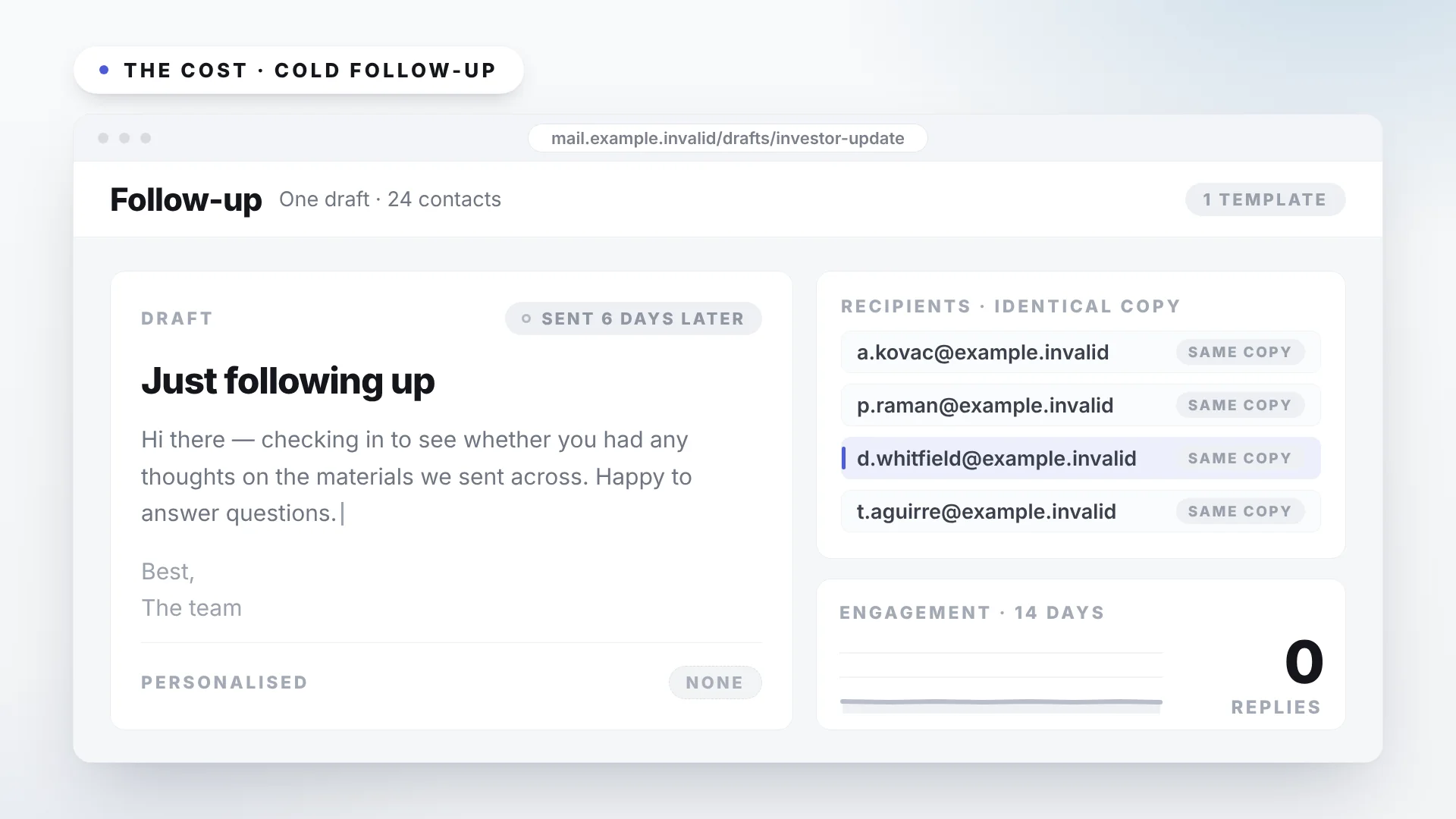
"Just checking in" lands days late and speaks to nobody's actual hesitation — the price, the parking, the timeline, the finish, the term — so it rarely moves the deal. And none of what the rep learned ever reaches the CRM.
Anyone can put a brochure behind a login. A portal is table stakes. Every Vantage portal is built for the specific project — your options, your terms, your documents, the questions your prospects actually ask — and what none of the others do is turn what happens inside it into a sales advantage. That layer is Deal Intelligence.
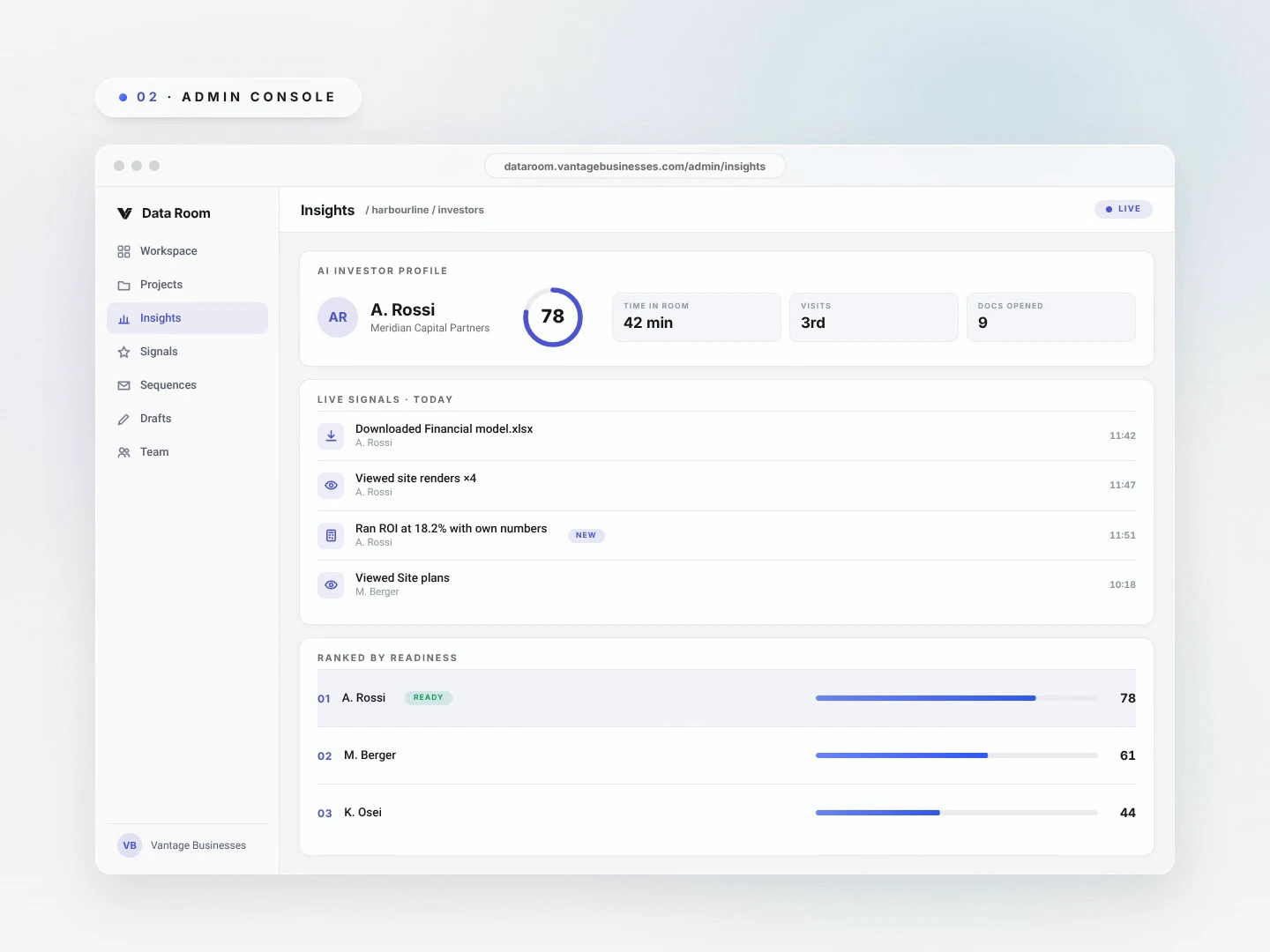
Every prospect is scored on real behaviour, in the portal and in your meetings, so your team spends its hours on the ones most likely to sign. Because the portal is assembled around your deal, that behaviour means something — it is not generic page views.
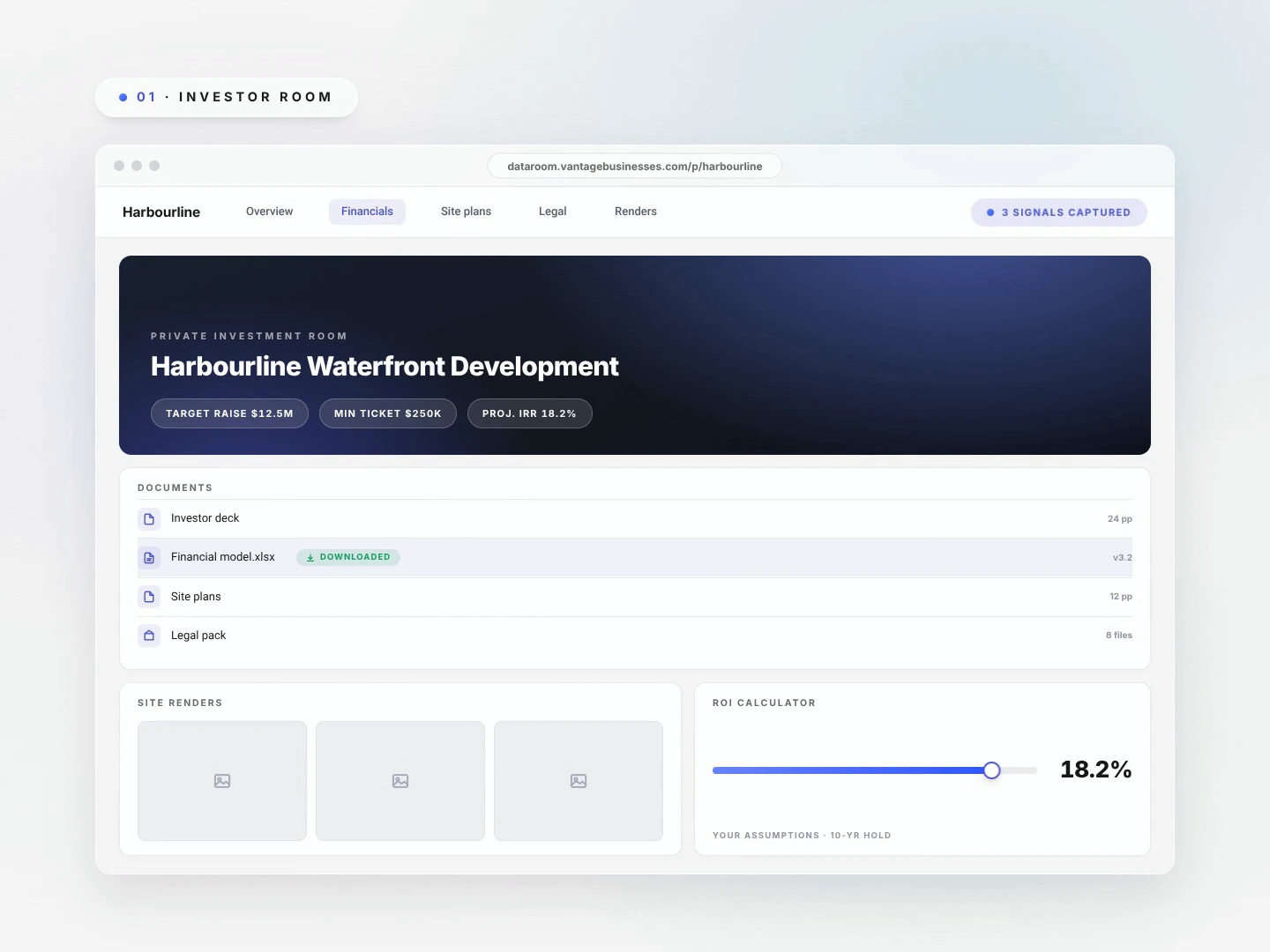
Return visits, time on specific options, and meeting signals point at the hesitation — the price, the timeline, the financing, the view, the finish, the term — before it is ever said out loud.
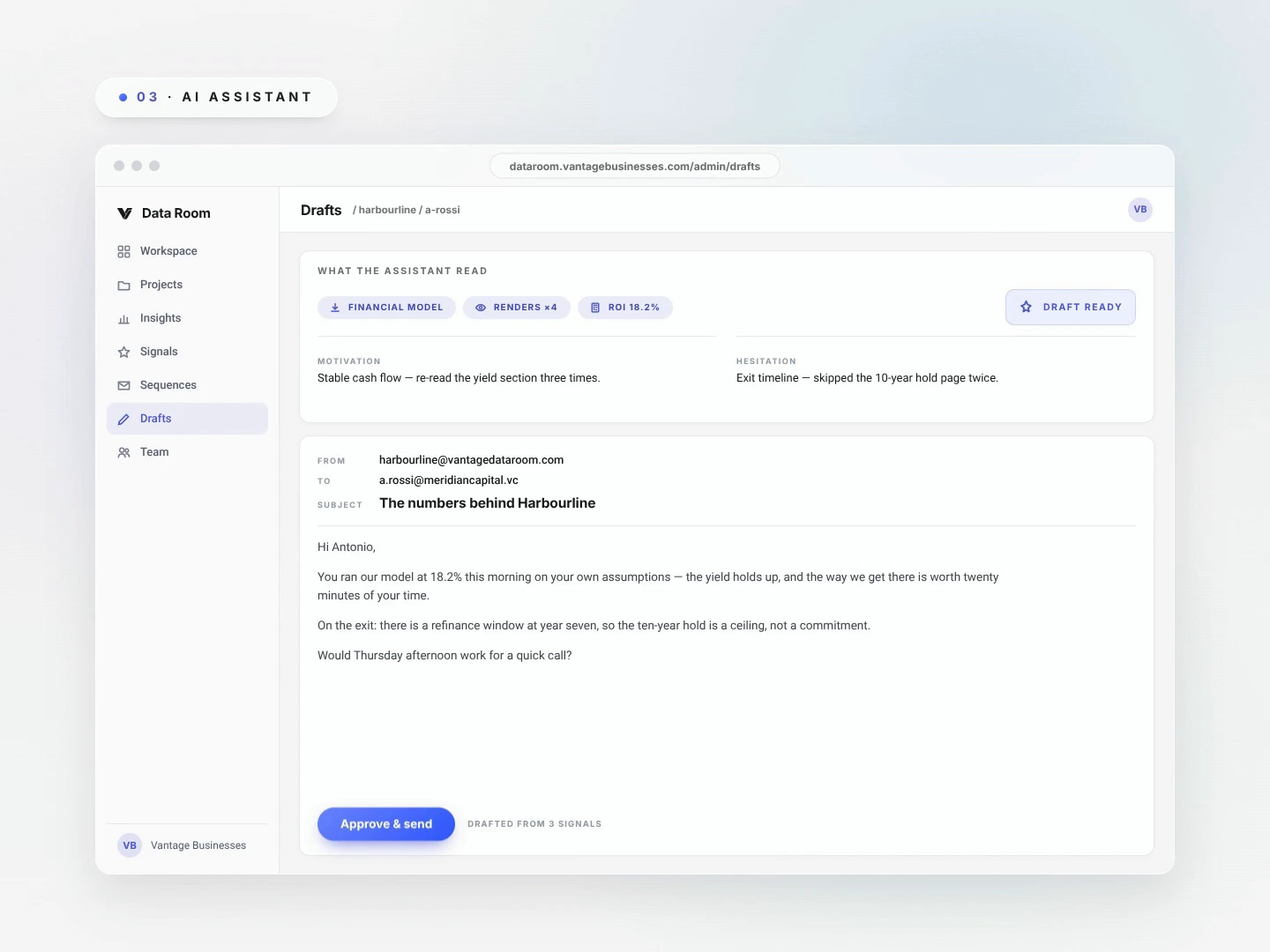
Rising interest enrols the prospect in the right sequence on its own, each message written to the concern that person actually has — and every draft still waits for your approval.
Portal activity, stated concerns, and meeting extracts reach your CRM as a read on where the prospect stands and what to do next, not raw data to decode.
Villa V and Hazen Road run on Vantage for Fifth Avenue Properties. A third runs a commercial land portfolio for another client. Beside them, the same portal re-skinned for other asset classes, because each one is built to the project rather than the other way around.


Invitation entry, the options and availability, the area and its dynamics, the documents, and a calculator they can run with their own numbers — on a phone, without an app.
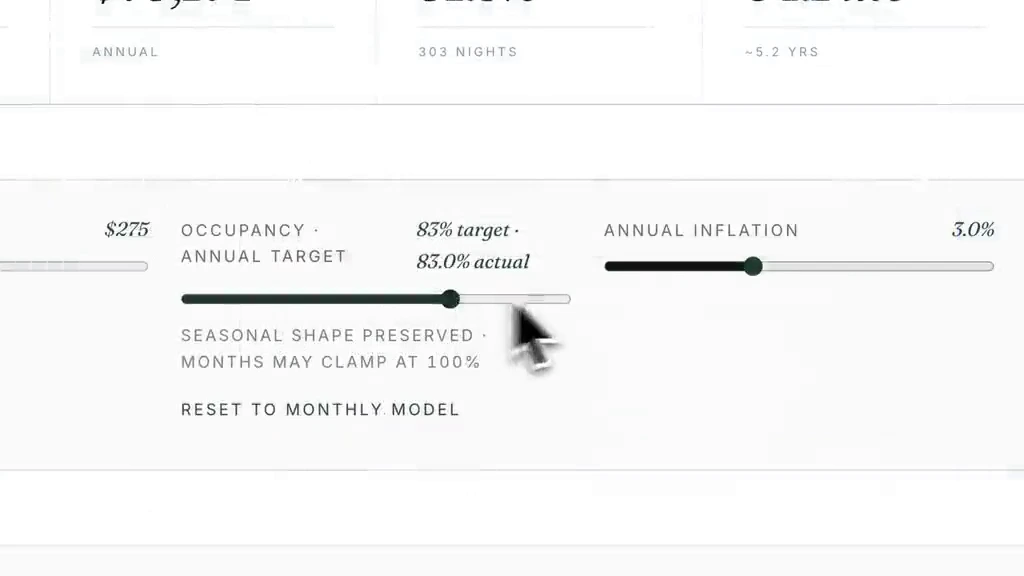
Option views, comparisons, document opens, and return visits are recorded against the prospect who made them, not as anonymous traffic.
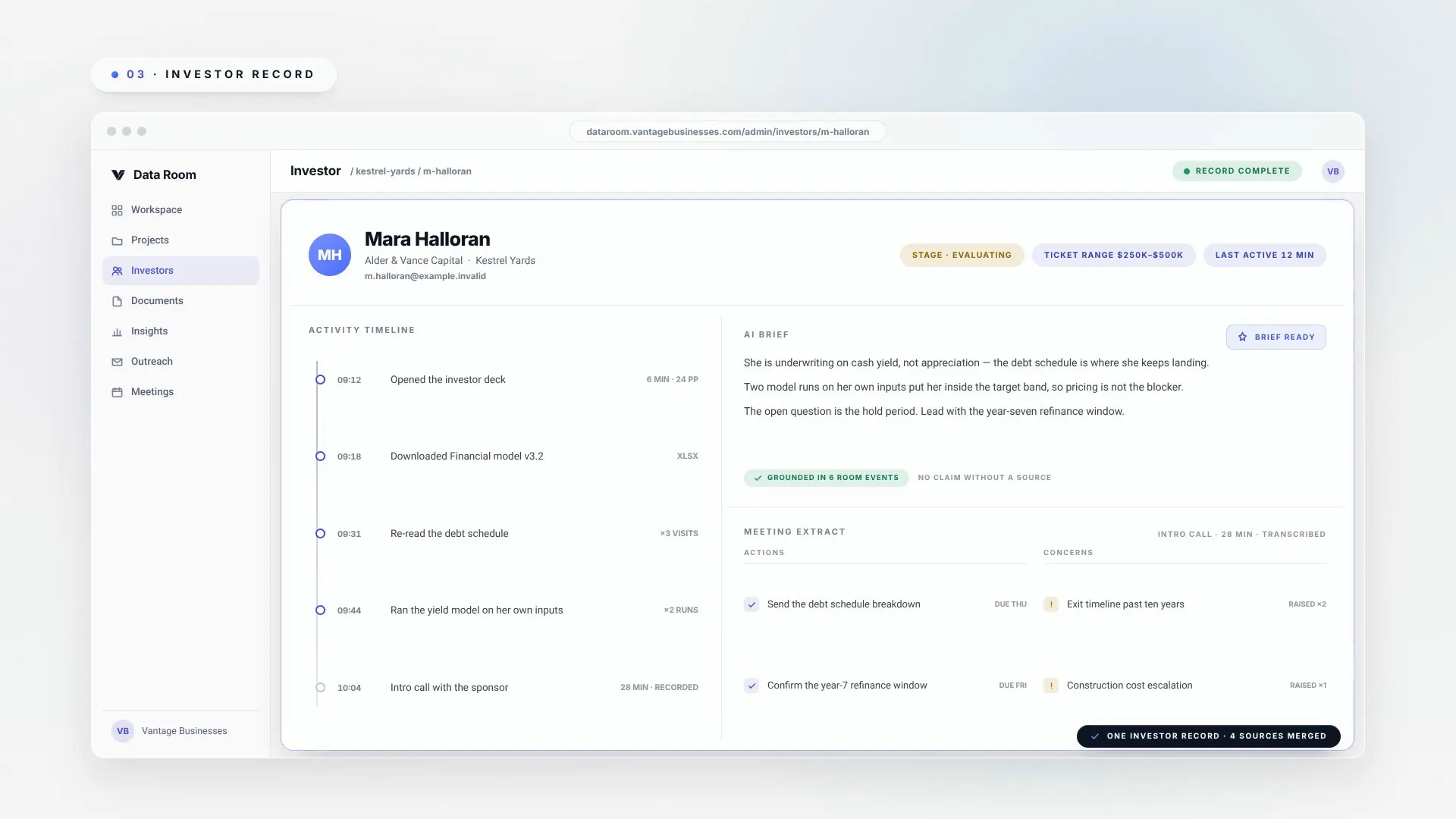
Activity, meeting extracts, stated concerns, and an AI brief come together in one profile your rep reads before the call, with the evidence still attached.
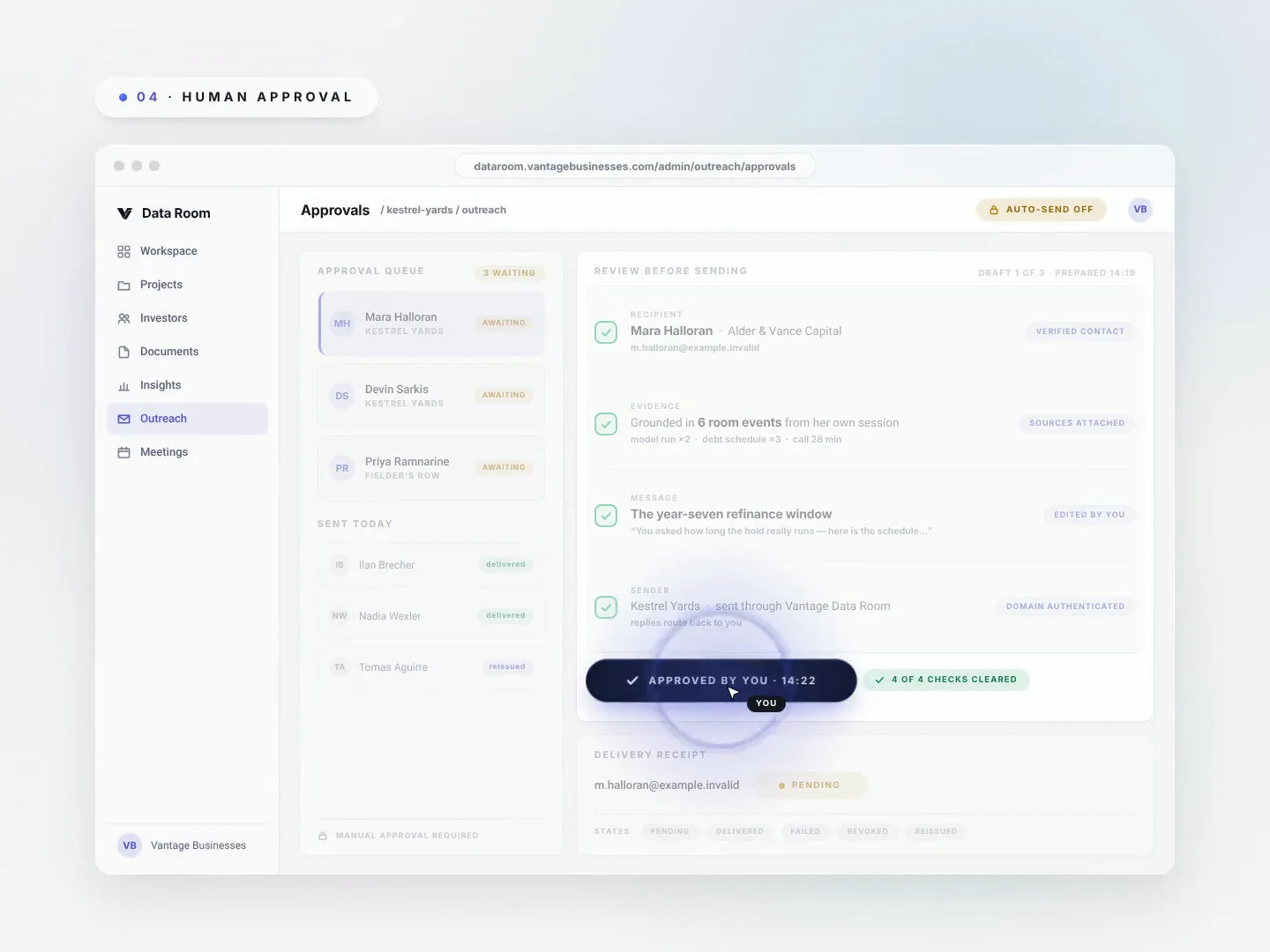
Sequences and drafts are grounded in that prospect's actual engagement, and a person reviews the recipient, message, and sender before anything sends. Receipts prove what happened.
Same engine, three very different weeks. What the portal shows and what the room learns changes with the deal.
The suites still available on the floors she asked about, the two finish packages side by side, a payment schedule she can run against her own deposit, and what is being built two blocks away.
She has opened the two-bedroom corner three times, run the deposit calculator at 15% twice, and never once opened the parking page. She is settled on the suite and stuck on the deposit. The draft waiting in your approval queue leads with the extended deposit schedule — and your rep walks into Thursday's meeting already knowing that.
Three projects, three portals, one room reading all of them.
A workspace is self-serve. The fastest path is a walkthrough: we open it with you, load your project, and you send the first invite the same day. There is no implementation project and nothing to migrate.
Pick a workspace address and verify your email, and the console arrives scaffolded. On a walkthrough we do this with you in minutes.
A guided interview plus your existing material — brochure, price or rent sheet, floorplans, deck — becomes the approved knowledge every brief and draft cites. Bring one document; that is enough to start.
The portal link goes out the same day, and the first engagement signals land before your next call.
Prospect activity and stage changes sync outbound to your CRM. Delivery runs through your reps’ own mailboxes. Nothing is entered twice.
Review the recipient, evidence, message, and sender before delivery.
Link entry — with an optional NDA gate — keeps each portal specific to its prospect. Access can be revoked, and every entry stays on the record.
Prospect, project, and portal data stays within the authorized workspace.
Pending, delivered, and failed states remain available for recovery.
Outbound mail renders with the required legal footer and unsubscribe, or it does not send at all.
Documents live in default-deny storage behind short-lived signed links. Raw access tokens are never stored.
Pricing is scoped to your raise and team size. A walkthrough covers it.
One project, one room, the full loop — telemetry, profiles, approval-first outreach.
Book a walkthroughMultiple projects and portals, team roles, and CRM sync across the pipeline.
Book a walkthroughBranded portals per project or client, custom domains, and dedicated support.
Book a walkthroughAsked on almost every walkthrough, so they may as well be answered here.
They use it because it is more useful than the brochure. Live availability, options they can compare, numbers they can model, and the area context they were going to search for anyway — all on their phone, all in one link.
No. The direction arrives in the CRM they already use, as a next action against a named prospect. Nobody logs into another dashboard to find it.
Approval-first is the default. Any automated approval behavior is an explicit workspace choice with its own limits and can be disabled.
Drafts draw on approved project knowledge and the prospect activity recorded in that workspace. Pricing and financial claims still require human review before delivery.
No. Vantage carries prospect activity, stage changes, and closing direction into your connected systems, so your team never enters the same event twice.
Pricing is scoped to your raise and team size. A walkthrough covers plans and numbers.


